Contact UsHelp
Sign In
New Customer
Get started with 123 Reg – it only takes a minute to create an account.
Excellent customer service from Stef
Stef was very quick in replying, helpful and professional. I got all my questions answered and purchase of website builder package was done within a couple of minutes.
Lavinia Corbu
I have found using 123 Reg surprisingly…
I have found using 123 Reg surprisingly easy and produced several websites as a complete amateur that make people think I'm really good at it. They also have great tech support (just been speaking with Andreea) and can access all your details when you are logged in, saving lots of confusion.
Darren Hall
Intuitive Website Builder
I use 123-Reg for my business email and website. I created my website myself with only a limited knowledge. I didn't need to use the tutorials either, I found it all very intuitive. The feedback, and business generated, has all been very positive
Sue Leamon
amazing customer support
amazing customer support, fantastic intuitive website builder, best one I've used. It's made me look good anyway, and I'm not the best with computers (being 50 years old!)
Matt Sparrow
Bring your idea to life with a professional website, complete with blogging tools.
Save 50%
£7.99
£3.99
/mo
With a 1-year term. You pay £47.88 today.
Renews at £95.88. Prices exclude VAT.
Get found by more visitors with built-in Search Engine Optimisation (SEO).
Save 50%
£9.99
£4.99
/mo
With a 1-year term. You pay £59.88 today.
Renews at £155.76. Prices exclude VAT.
Best Value
Connect your social media channels and let visitors book appointments online.
Save 50%
£14.99
£7.49
/mo
With a 1-year term. You pay £89.88 today.
Renews at £179.88. Prices exclude VAT.
Free with every plan
Your website, your way. Whether you’d like to launch an online store, showcase your portfolio, or start a blog, Website Builder is the simplest way to take your idea online. Build the website you need.

Get ready to be noticed
Add business info and all the right keywords to get seen on search engines

Click to go live Hit publish!
Your website is online, with 24/7 hosting and expert support
Stand out with a stunning website. Classic or cutting edge, local or global – choose from hundreds of professional templates. With mobile-ready designs, your audience will love how your website looks on any device.
Click, design, publish.
Website Builder is designed with your growth in mind. From first steps online to global business, you can upgrade your plan to match your ambitions.
Get everything you need to succeed - from email addresses and social media integration, to SEO and full ecommerce features. Scale up when ready.
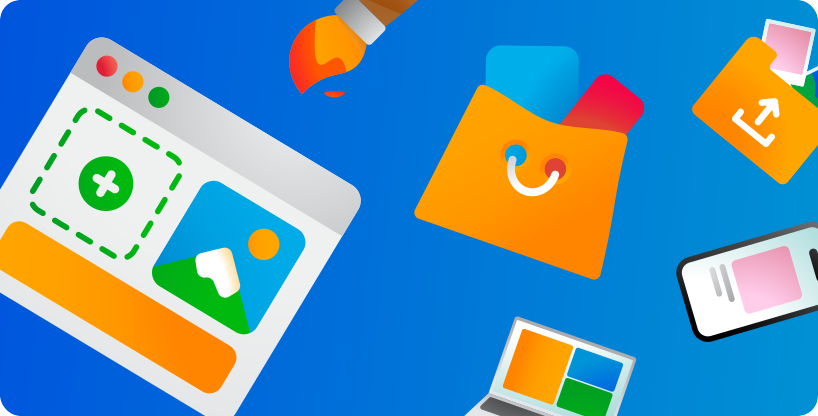
Website Builder is an all-in-one design package that allows you to create and manage your site without the need for technical knowledge. Take everything step-by–step, choose a template, customise the photos, colours and information, and then publish it to your domain name.
Website Builder makes it easy to build your own website from scratch for a variety of businesses, whether that might be for photography, real estate, weddings or to just showcase your work. Automatically produce a site that will work on every device – be it a desktop, tablet, or mobile phone, along with the ability to easily customise and add fresh and unique information and features, including ecommerce, Facebook, Twitter, YouTube, and more.
Website Builder comes with hosting included, along with everything else you need to publish your site, including a free domain name, SSL Certificate and email address. You simply log in and start creating your site in minutes.
Our plans have been designed to enable anyone to easily set up their own website, whatever their technical skill level. With our beginner-friendly interface, you can insert and customise your own text, images and videos without any coding, allowing you to create a stunning professional website that looks exactly how you want it to.
Absolutely. This all-in-one tool is the perfect resource for anyone that needs a quick and easy way of taking their small business online, with none of the technical kerfuffle.
This should only take you a few minutes, but, depending on how detailed you want your website to be, it can take longer.
Our tools simplify the whole process by allowing you to choose from a range of stunning, pre-populated templates. From there, you can easily customise its look and feel by changing its existing content or adding new sections in just a few clicks.
If you need help, please visit our Support Site. We have plenty of information there and it's likely that we've already answered your question.
Alternatively, we offer telephone support so you can speak to us and get the help you need at a convenient time for you.
Yes, you can but without a domain, people will not be able to find you online. Every Website Builder package comes with a free domain name, but you can also purchase and use another one if you wish to.
If you have a domain name registered with 123 Reg and you're not using it with any of our other services, you can assign it to your Website Builder package. For details on how to do this, please read the following article: How do I point my domain name to my Website Builder package?
If you're planning on transferring in a domain name, then make certain the transfer is complete before you purchase your package.
Using a responsive design is the most important aspect of establishing a mobile-friendly website, as it will ensure that your site will automatically adapt to your visitor’s device type.
Fortunately, all our Website Builder templates offer responsive designs, so you can get started straight away. Our tools allow you to preview your website on mobile devices, so that you can easily optimise and enhance your website.
All our Website Builder plans come with a free SSL Certificate included, which will display a padlock icon next to your web address.
Without one, search engines like Google will warn visitors that your website isn't secure so having this in place is critical to reassuring visitors that you offer a reliable, trustworthy service.
To find out how to install your free certificate, please read the following article: How do I install my free SSL Certificate?
The minimum contract period for our Website Builder plans is 1 month.
Absolutely! Our Website Builder plans are designed to scale up with your business. Whether you're just starting out or looking to take your online store global, your website grows with you.
When you’re ready to take it to the next level, you can easily upgrade to an Online Store with all the e-commerce features you need to sell direct to customers worldwide.
If you've using Personal, Business or Business Plus and want to take advantage of the extra features available if you upgrade, just log into your 123 Reg Control Panel and choose the Upgrade option. We'll calculate the new cost of your package for you. You won’t need to change the way your website looks, unless you want to!
Or see how else you can contact us