
Choosing the right hosting is one of the most important early decisions for any business website. The right setup affects everything — from how fast your site loads to how much time you spend keeping it secure and up to date.
While large enterprise might have their own IT engineers to hand, smaller companies might want the technical side taken care of for them. And what if it’s just you? You’ll likely need a host who can take care of things so you can focus on running your business.
This guide walks through the key differences between self-managed and managed hosting, to help you find the right balance between control, convenience, and room to grow.
Key takeaways
- ☑︎ Start with your needs. Think about your goals, expected traffic, and how hands-on you want to be.
- ☑︎ Consider your approach. Go self-managed for full control, or managed for simplicity and less day-to-day work.
- ☑︎ Grow as you go. The beauty is you can upgrade to higher hosting plans as your business expands.
- ☑︎ Check the extras. Most 123 Reg plans include a free domain and email for the first year, plus friendly expert support.
- ☑︎ Need something simpler? Choose Website Builder for an all-in-one package with hosting included.
What’s the difference between Self-Managed and Managed Hosting?
What is Self-Managed Hosting?
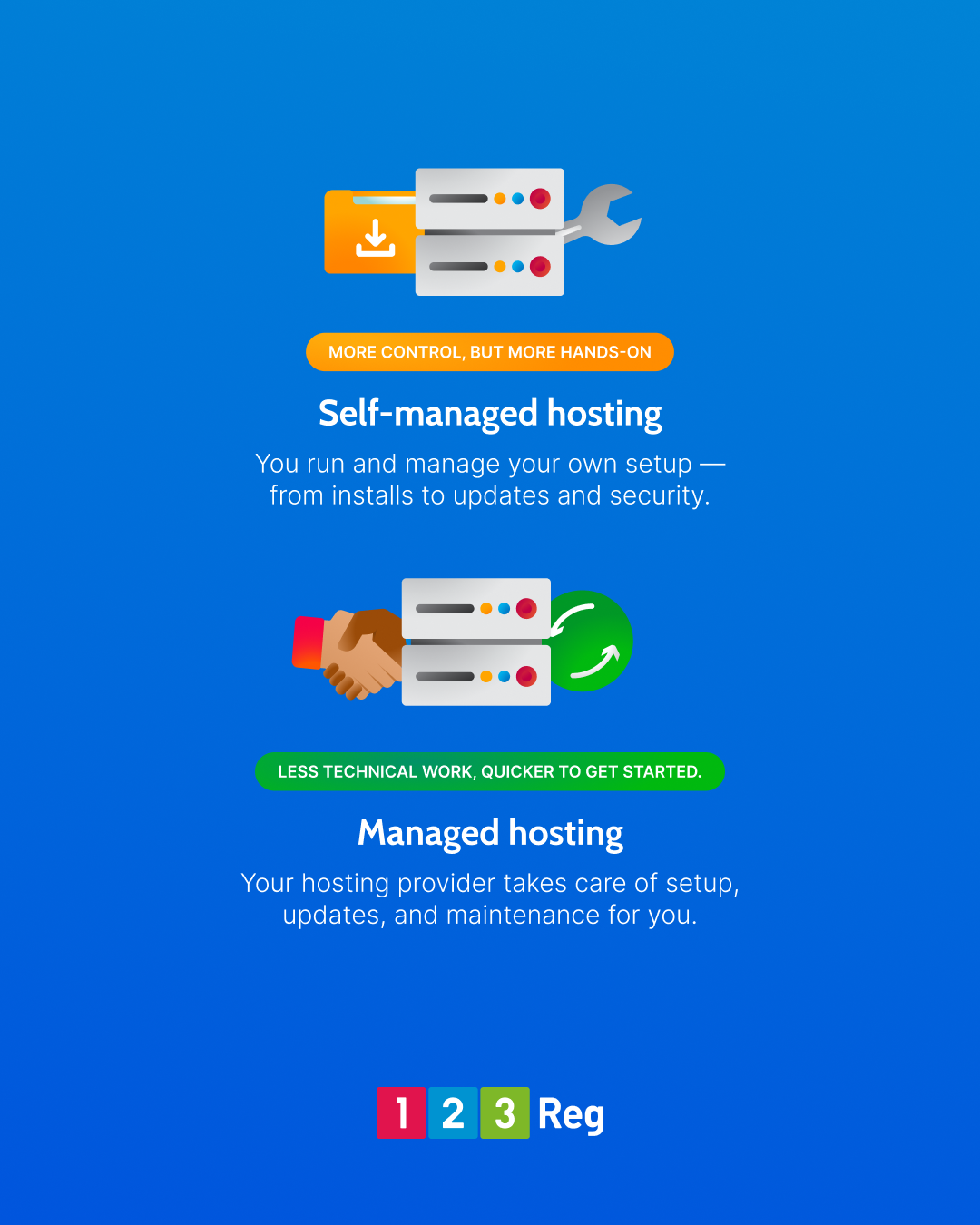
With self-managed (or “unmanaged”) hosting, you’re in charge of everything. It’s down to you to install and run your own CMS (WordPress being just one option) on hosting servers.
As well as creating your website, you’ll handle some or most of the tech stuff like server configuration, updates, security, backups, and performance tweaks.
While more hands-on, there are pros that make it worthwhile for many businesses:
✓ Full control over setup, configuration, and custom features
✓ Freedom to host multiple sites and choose any CMS you like
✓ The option for advanced users to customise at server level
✓ Cost efficiency if you’re experienced in web or server management
This makes options like 123 Reg Web Hosting a great choice for developers or confident users looking for full control.
What is Managed Hosting?
Managed hosting is when a hosting provider takes care of the technical work for you so you can focus on your business. Instead of managing servers yourself, you get a ready‑to‑use environment where things like updates, security patches, performance tuning, and backups go on automatically in the background.
Plans like 123 Reg Managed WordPress Hosting give you a ready-to-go setup with WordPress already installed on optimised servers. It’s a good middle ground for businesses that want professional hosting without the kind of maintenance that usually needs an IT team.
Some of the benefits include:
✓ No server management required
✓ Automatic maintenance and optimisation
✓ A professional, mobile-ready theme to get started with
✓ More time to focus on content and growing your business
All this makes Managed WordPress Hosting a great choice for businesses that want professional reliability but less day-to-day upkeep.
See also: What is WordPress and Why Should You Use It?
TL;DR
- Hosting choice comes down to three main things: what you want to achieve, the time and resources you have, and how comfortable you are with tech. Choose managed WordPress hosting for a quick setup that handles the tech for you. Go self-managed if you want control and have the know-how to manage it.
1. Consider your business needs
Choosing the right hosting is one of the most important early decisions for any business website. It affects how fast your site loads, how secure it is, and how much time you spend managing servers versus focusing on your business.
Before you do anything else, get clear on what your website is for.
☐ Are you building a simple blog, a brochure site, or a full online shop?
☐ How much control do you want over the design and features?
☐ Do you want to manage updates, security, and backups yourself, or let 123 Reg handle them?
Your answers will help you decide whether flexibility or simplicity is more important.
Self-Managed vs Managed Hosting
| Feature | Self-Managed Hosting | Managed Hosting |
|---|---|---|
| Server management | Full responsibility for setup, updates, security, and day-to-day maintenance | Everything handled behind the scenes by your host |
| Setup | Manual installation and configuration of the server and site | Set up and ready to go from day one |
| Software setup | Choice and management of your own tools and software | Core software pre-installed and kept up to date |
| Updates & maintenance | Ongoing updates, patches, and upkeep handled manually | Handled automatically in the background |
| Security | Responsibility for keeping your site and data secure | Security measures and updates managed for you |
| Backups | Own backup routine set up and maintained | Automatic backups with simple restore options |
| Performance | Performance tuning and optimisation handled manually | Performance monitored and improved for you |
| Monitoring | Issues tracked and resolved as they arise | Problems often spotted and fixed before they’re noticed |
| Support | Typically limited to hardware or network issues | Help available for setup, performance, and issues |
| Control & flexibility | Full control over every part of the setup | A little less control, but impler to manage |
| Ease of use | More technical and hands-on day to day | Easier to run with less tech work |
| Time needed | More time and resources involved to keep things running | Less time spent on maintenance, more on your site |
| Cost | Lower upfront cost, but more time-intensive | Higher monthly cost with management included |
2. Pick the right hosting type
Once you’ve picked your platform, choose the hosting that matches your needs.
For self-managed setups:
These options give you full control over how your website is set up and run. You’ll need some experience, or help from a professional.
☐ Web Hosting – Affordable shared hosting for small sites and everyday business use. “Shared” means your site runs on a server with others, keeping costs low. You get cPanel to install your platform, upload files, or customise your code.
☐ Premium Hosting – High-performance hosting for larger or busier websites. Like Web Hosting but faster and more powerful with extra CPU and RAM.
☐ VPS Hosting – A Virtual Private Server with dedicated resources and full control. Ideal for custom sites or growing businesses needing extra power and flexibility.
For managed setups:
Managed Hosting takes care of technical tasks like updates, security, and performance, so you can focus on content and your customers.
☐ Managed WordPress Hosting – Designed for WordPress websites. 123 Reg gives you a professionally designed theme chosen for your business type, with sample content ready to customise. Add features like contact forms, online shops, galleries, or booking tools with just a few clicks. Updates, performance, and security are all handled for you, so you can grow your site without touching a line of code (unless you want to).
Or choose Website Builder: A simpler way to get online
With 123 Reg Website Builder, everything’s included: hosting, templates, and easy-to-use site tools — all in one place. That means you can spend less time on the tech and more time creating your content.
Start with a professional, mobile-ready template, then add your business details and content. Built-in AI tools can even suggest text to help you get started. You’ll also get a free domain name for the first year, a matching email like you@yourbusiness, and SSL security to keep your site safe and trusted.

Website Builder takes care of hosting and server setup for you, so you don’t have to worry about the background work of running a website. Learn more about Website Builder here.
See also: Website Builder vs Web Hosting – Which Works Best for Your Business?
3. Choose the best CMS platform for your site
The platform you pick should match how much control you want — and how comfortable you are with technical setup.
Self-Managed CMS options
If you’re using self‑managed web hosting, you install and run your own CMS. Some of the mopular choices include:
☐ WordPress – extremely versatile and beginner friendly, with thousands of plugins and themes.
☐ Joomla – offers more native features but requires a steeper learning curve.
☐ Drupal – suited to advanced developers building complex sites.
For eCommerce, WooCommerce (WordPress) is a strong fit for small‑to‑medium online stores. Larger, high‑volume operations may prefer dedicated eCommerce platforms such as Magento or similar full‑featured carts.
Managed WordPress Hosting
For a balance between flexibility and ease, 123 Reg Managed WordPress Hosting gives you WordPress pre‑installed, auto‑updated, and fully secured on optimised servers.
You get started with a professionally designed theme chosen for your business type after answering a few setup questions, and you can change it later if you want. 123 Reg handles updates, security, backups, and performance for you. Plans may also include features like staging environments, CDN optimisation, and one-click backups, depending on the package.
Web Hosting vs Managed WordPress Hosting – At a glance
| Feature | Web Hosting (including Premium Hosting) | Managed WordPress Hosting |
|---|---|---|
| Price | From £2.99/mo | From £3.99/mo |
| Free Domain | ✓ Included for the 1st year | ✓ Included for the 1st year |
| Email Addresses | ✓ Included for the 1st year | ✓ Included for the 1st year |
| Storage | 25GB – 100GB (Standard); Up to 400GB (Premium) | 30GB – Unlimited (1 website) |
| Websites Hosted | 1 – 50 sites depending on plan | 1 site |
| CMS / Platform | Your choice: WordPress, Drupal, Joomla, etc. | WordPress (Managed & fully updated) |
| Performance | Shared CPU & RAM on Standard; Premium adds guaranteed higher CPU & RAM | Optimised WordPress resources with auto caching and scaling |
| Technical Work | Unmanaged; It’s down to you to take care of updates, security, and backups | Most work done automatically; you focus on content |
| Updates | CMS/App updates managed by you; server updates automatic; resources grow with higher-tier plans | Automatic WordPress updates included |
| Migration | Use one-click tools or plugins to move a site | One-click migration tools included |
| SSL Certificate | ✓ Free SSL included (unlimited on higher plans) | ✓ Free SSL included (unlimited on higher plans) |
| Scalability | Move between Standard, Premium, or VPS plans to increase CPU, RAM, and storage | Resources automatically adjust to traffic and performance needs |
| Ideal For | General websites or web apps; Premium for higher traffic or advanced sites | WordPress blogs, business sites, or ecommerce stores with minimal tech setup |
| See plans | See plans |
4. Find a reliable hosting provider
Your host is key to your site’s performance, so choose wisely. A reliable provider should keep your website fast, secure, and online whenever visitors arrive.
When choosing a good host, look for:
✓ Uptime guarantees – aim for 99.9% or more so your site stays accessible even during busy periods
✓ Performance – fast pages keep visitors happy and help your SEO. Look for caching, a CDN network, and servers in the UK or EU to keep speeds high.
✓ Security – free SSL is standard but also check for malware scanning, firewalls, automatic updates, and DDoS protection
✓ Support – friendly UK-based teams who know WordPress and hosting issues are a big help
✓ Scalability – easy plan upgrades as your traffic grows without downtime or tricky migrations
Think about time and risk, not just cost
- Picking hosting isn’t just about cost. It’s about how much time and risk you’re ready to take on. If your site handles sales or bookings, managed hosting from a reliable provider keeps it running by taking care of updates and backups. Self-managed hosting can save money but adds responsibility, so your choice of provider matters for support, security, and how easy it is to grow.
5. Register your domain name
Your domain is the first impression of your business online — make it count.
Many hosts include a free or discounted domain for the first year with their annual web hosting plans.
123 Reg offers over 400 TLDs, from the tried-and-trusted like .co.uk and .com, to niche options such as .studio, .ai, and .shop, and even more unusual choices like .life, .fun, or .games.
Our hosting plans give you a choice of 25+ free domains (including .com and .co.uk) for the first year, with a professional email address to match.
When choosing a domain, aim for something short, easy to spell, and clearly linked to your brand. This makes it easier for customers to find you and helps your site look professional from the start.
For more on picking a domain, check out: How to Buy a Domain Name and How to Choose the Best Domain Ending in 2026
6. Set up and launch your site
Once your hosting and domain are ready, it’s time to launch.
Before you go live, take a moment to test everything — check your pages, forms, links, and mobile view to make sure visitors have a great experience and your site loads quickly.
After that, it’s about building your audience:
✓ Optimise your site for search engines so potential customers can find you.
✓ Consider paid ads to reach people who are actively looking for your products or services.
✓ Share your site across social media and email to grow your reach.
For more tips on getting your business seen online, check out our blog: How to Show in AI Search Answers: 8 Top Tips for Business Owners
Don’t forget your professional email address
Professional Email is part of your brand, not just an add‑on. Most 123 Reg hosting plans include matching email (like you@your-big-idea.co.uk) free for the 1st year, so every message you send looks and feels the business.
For more advanced options,upgrade to Microsoft 365 Email, with Outlook, Word, Excel, and Teams all in one place. Copilot AI helps with content and tasks, while Windows AI integration keeps your work connected and secure across all devices.
For more, check out: Why Every Business Needs a Professional Email Address and More Than Email: M365 Add-Ons to Power Your Small Business
Wrap up
Choose Managed Hosting if…
✓ You want minimal involvement in technical maintenance
✓ You don’t have the time or experience to manage things yourself
✓ Your site is key to sales or bookings, and downtime simply isn’t an option
Choose Self-Managed Hosting if…
✓ You want full control over server setups
✓ You (or your team) are comfortable with server-level work
✓ You’re happy handling security, updates and backups yourself
123 Reg gives you the flexibility to start small and upgrade as you grow.

FAQ
Do I get a free domain with my hosting plan?
When you buy an annual 123 Reg Web Hosting plan, you get a free domain for the first year — a simple way to get your brand online. You can choose from popular extensions like .com, .co.uk, .uk, as well as over 25 others, including .shop, .tech, .store, .life, .world, .xyz, and more.
To claim your free domain, add your hosting plan to the basket, search for your chosen domain, and add it to your order!
Do I get a free email address with 123 Reg hosting?
Every 123 Reg web hosting plan comes with at least one free professional email address (for example, you@yourbusiness.com) for the first year. Higher-tier plans include multiple email addresses to work for growing teams.
Can I host a website for free?
Technically, yes — if you have the tech skills, you could turn a PC or even a phone into a server with a public IP address. But once the device is off, your site goes offline. Using a professional host like 123 Reg keeps your website secure, reliable, available 24/7, and able to handle traffic even during busy periods.
Can I use my existing domain with 123 Reg hosting?
Yes, simply update your domain’s nameservers to 123 Reg’s in your registrar’s control panel. It’s easy to do and typically takes 24-48 hours to propagate.
How secure is 123 Reg hosting?
All plans include free SSL and basic DDoS protection. Some plans add malware scanning, automatic backups, and one-click restores. Managed WordPress Hosting includes daily scans to keep your site safe without extra work.
Do I need strong IT skills for web hosting?
Self-managed hosting means you’ll need to handle things like setting up your site, running updates, managing backups, and fixing issues if they come up.
Managed WordPress Hosting is easier. WordPress is set up for you, and you can start with a ready-made theme so you can focus on your content and design.
If you want to keep things even simpler, 123 Reg Website Builder lets you create a professional-looking site with drag-and-drop tools and no coding needed.