Getting your website noticed in search results starts with strong first impressions. Title Tags and Meta Descriptions are small but powerful elements that help search engines understand your pages — and persuade users to click.
In this guide, we’ll show you how to write them effectively to improve visibility, credibility and clicks.
Key takeaways
- ☑︎ Title tags and meta descriptions tell search engines what your page’s about.
- ☑︎ A clear, relevant title improves visibility and helps people decide to click.
- ☑︎ Use your meta description to show what’s inside and get people curious.
- ☑︎ Keep both short, relevant, and written for humans first.
- ☑︎ Check and update your tags often to keep results fresh.
What are Title Tags and Meta Descriptions?
✓ Title Tags and Meta Descriptions tell search engines and users what your website is about.
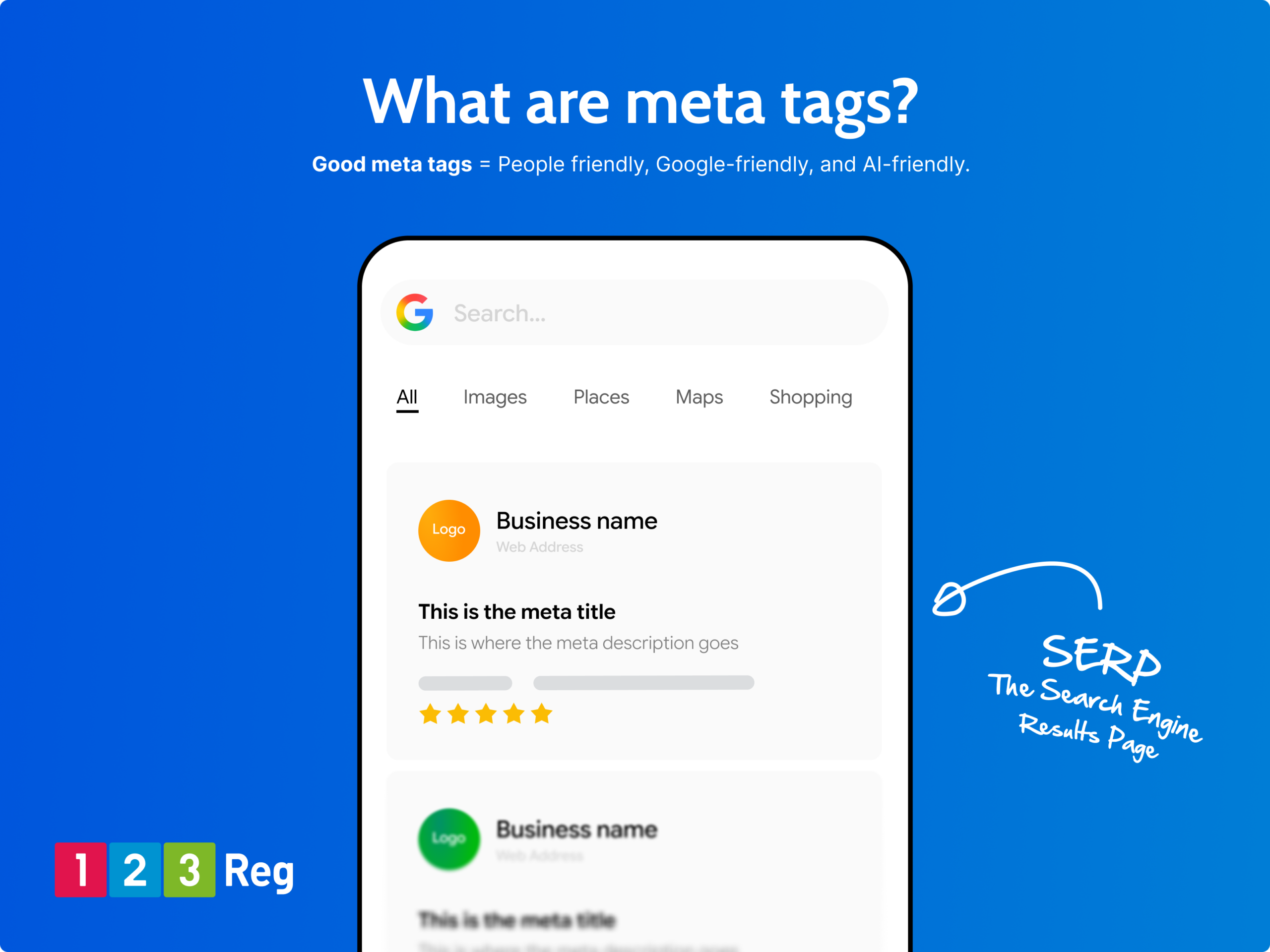
These small pieces of HTML describe the content of each page and show how it relates to a search query. In short, they act as your page’s “hook” on the search engine results page (SERP) — helping more people choose your site.
They appear in search results, browser tabs, and social shares, so they’re often the first thing people see before visiting your website. While strong tags alone won’t guarantee top rankings, they can make a big difference to click‑through rates and overall visibility.
For more, check out: Local SEO in 10: How Do I Get My Business Found Online?
The Meta Title / Title Tag
✓ The Meta Tag the title element of a web page that sums up what the page is about.
You’ll see it in three main places:
☐ In browser tabs
☐ On search engine results pages (SERPs)
☐ On external sites that display titles, such as Facebook or X (Twitter)
Search engines expect Title Tags to include relevant keywords and phrases that accurately describe the page’s content. If your title doesn’t match what’s actually on the page, Google might replace it with something else — meaning you lose control over how your link appears.
A strong Title Tag should be accurate, concise, and compelling. Think of it as your first opportunity to encourage clicks.
Here’s how the code looks:
<head>
<title>Your title here</title>
</head>
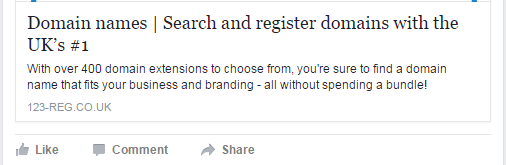
For example, here is our own Domain Names page as it appears in the search results:

And this is how it appears when the page is shared on external sites, including social networks like Facebook, Twitter and LinkedIn:
The Meta Description
✓ The Meta Description is a short summary of what visitors can expect from your page.
While the Title Tag gives a headline, the description provides space to explain what your page offers — and why it’s worth clicking.
The recommended length for meta descriptions used to be around 155–160 characters (including spaces) for desktop results, but it’s around 120–130 characters for mobile. You can’t generally make meta descriptions dynamic for mobile vs desktop, so it’s best to go aim for the shorter count.
Like Title Tags, Meta Descriptions are snippets of HTML that search engines read to understand the page content. They don’t directly affect rankings, but they can strongly influence whether users choose your site over others.
A good Meta Description should be clear, persuasive, and relevant — a short pitch that sells your content to potential visitors.
This is what it looks like:
<head>
<meta name=”description” content=”This is where you add your Meta Description. Make it count.”>
</head>
Let’s take a look at how the Meta Description for our VPS hosting page appears in the same search result:

How to write Title Tags and Meta Descriptions for SEO
✓ To make your Title Tags and Meta Descriptions stand out, focus on clarity and relevance.
Keep titles short and accurate, use key phrases naturally, and write descriptions that summarise your content in a way that makes people want to click.

Add a call-to-action (CTA) where it makes sense — especially if you’re promoting a limited-time offer or highlighting a key benefit. And remember to review and refresh your tags regularly based on performance.

Writing better meta tags / title tags:
☐ Keep each title relevant to its page content.
☐ Put your main keywords near the start.
☐ Write naturally — avoid keyword stuffing.
☐ Don’t duplicate titles across pages.
☐ Consider adding your brand name at the end.
☐ Stay within 60–64 characters (around a 512‑pixel width).
☐ Make it engaging enough that people want to click!
When writing Meta Descriptions:
☐ Give every page a unique description.
☐ Use relevant keywords that match what users will find.
☐ Spark curiosity (tease rather than telling everything)
☐ Include a clear call‑to‑action.
☐ Keep it between 150–154 characters so it displays fully.
Remember, Google uses pixel width (not exact character count) to decide how much text shows. So always test your titles and descriptions across devices.
Meta Tags with Website Builder
If you’re using 123 Reg Website Builder, it’s easy to edit meta tags for each page. Just open your site editor, go to Pages, select the page, and click Page Settings. There you can update the Page Title (your title tag) and Meta Description.
Save or publish your changes, and your page is ready for search engines.
How do I choose the right keywords for Meta Tags?
☐ Keep it relevant. Choose terms that clearly reflect what your page is about.
☐ Think like your audience. Use the words your visitors might search.
☐ Use long‑tail keywords. Phrases of three or more words often attract more qualified traffic (for example, “unique rustic wedding invitations” instead of “wedding invitations”).
☐ Place keywords strategically. Aim to include them near the start of your Title Tag — but make sure it still reads naturally.
You can also try using keyword tools to make smarter choices. Some top options include: Google Keyword Planner (free), Semrush, Ahrefs, Moz Keyword Explorer, and Ubersuggest.
For more, check out: The A-Z of SEO
More types of metadata
Metadata doesn’t stop at titles and descriptions. It also includes extra information for search engines — most notably through a small file called robots.txt.
What’s robots.txt?
This tiny file acts like a set of instructions for automated bots (also known as crawlers or spiders) that scan the web on behalf of search engines. Crawlers use it to understand which pages they should or shouldn’t index, helping Google and Bing figure out what to show in search results.
For most small websites, robots.txt isn’t something you need to worry much about.
If you would like to learn more, check out: What’s Robots.txt
How to optimise meta data
To keep your tags performing well, track their impact over time. Google Search Console is a free Google tool that shows how often your pages appear in search and how many people click on them, so you can spot pages with good impressions but low click‑through rates (CTRs) and improve those first.
Optimise those pages using the tips above. Don’t make too many changes at once, though — SEO updates take time to show results, and frequent changes can make it hard to tell what’s working.
Also, watch other metrics like Average Time on Page. A high CTR but low engagement might mean your tags are over‑promising, which can look like clickbait. Aim for honest, enticing copy that delivers on what you promise.
For inspiration, check the Google Ads in your niche. Paid campaigns often show the headlines and descriptions that get the most clicks, which can help you write meta descriptions that attract visitors.
For more inspiration on headlines and copy, check out our Guide to Google Ads
Wrapping up
Meta tags tell search engines and people what your pages are about and can help get more clicks. Keep your titles and descriptions clear, punchy, and true to your content. Check them now and then to make sure they’re still spot on and grabbing attention.