

One of the best ways to make your website stand out from the crowd is by using great looking photography. Images help you to grab the viewer’s attention and show off your brand.
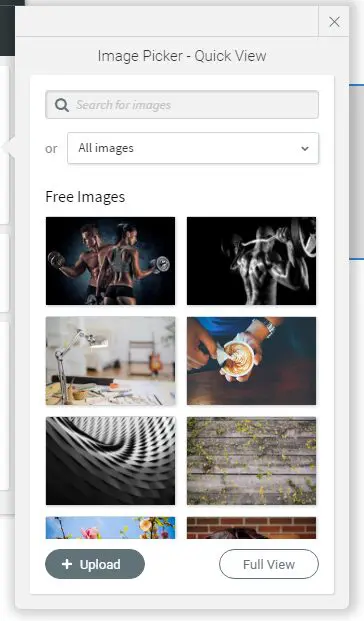
The new Image Picker in our Website Builder makes managing your images really simple – so now it’s easier than ever to give your site that little extra sparkle.
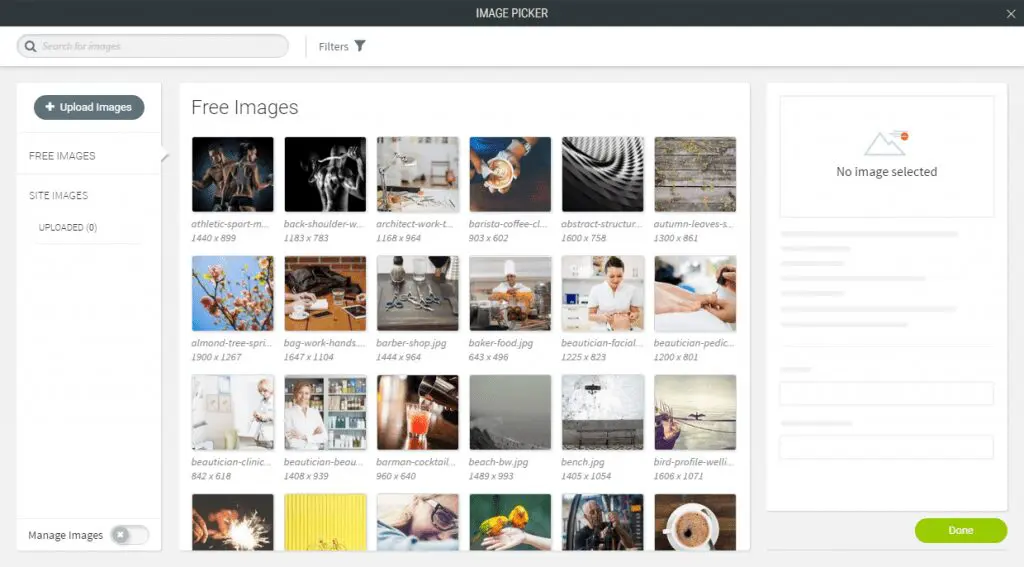
Millions of free images
We’re giving you access to a massive collection of free, high-quality images that you can use on your website. But we know you don’t want to be searching through that many images to find the perfect one, so we’ve beefed up our search tool, helping you to find the right image quickly and easily.
Easy image management
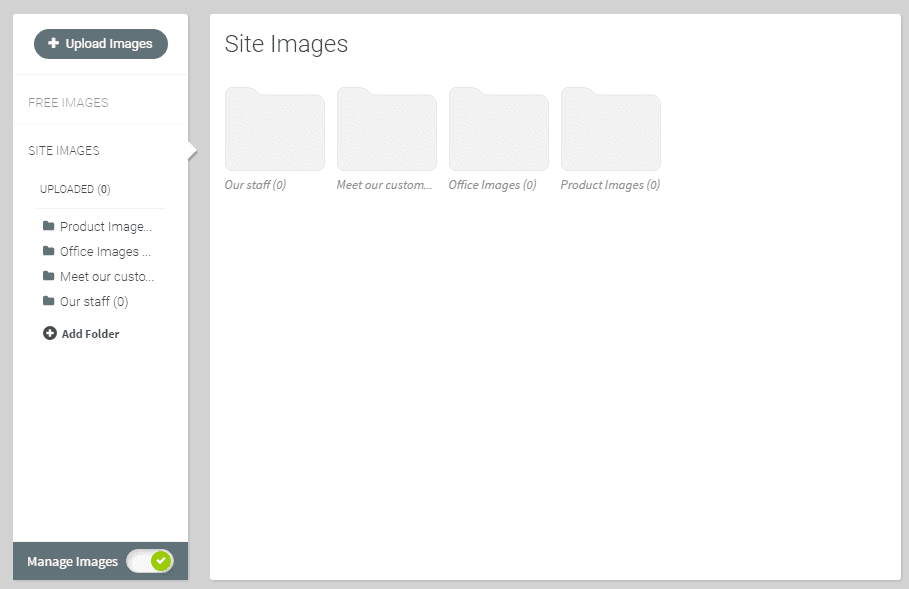
Imagine you’re opening your new business and want to show off your stock. You’ve spent all day photographing all your products from all angles, but now you have hundreds of images to sort through. With our Image Picker you can create a customisable folder system and upload different kinds of images into their own specific folders. Now, when adding images to your site, you’ll know exactly where to find them, so you can pick the best photos.
Boost site SEO
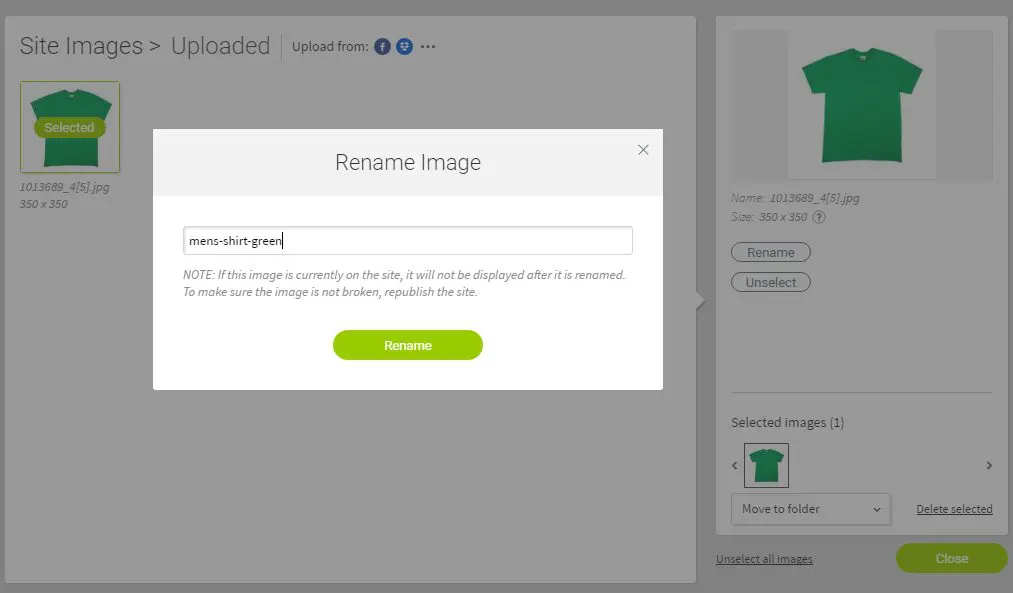
You can rename your images as you upload them. Not only does this make it easier to find the ones you’re looking for, but it will also help people to find your site. Naming your images with relevant file names means that search engines will know what your image is about, so will be able to make sure your site shows up for people making relevant searches. For example, instead of a file name like DSC123123.jpg, you can name it after your products, like: mens-shirt-green.jpg.
Automatic image resizing
We all know the importance of building a site that looks great across every device. Every image you use with our new image picker will automatically resize depending on your device, helping to speed up your site and make it even better for your visitors.
Superfast image upload and quick Image Picker
We’ve streamlined the entire process of adding and choosing images. You can upload images in an instant with our new Superfast upload as well as integrating your pictures from your social accounts. You can also add images to your site with our new quick Image Picker, speeding up the whole process.
We think you’ll love how easy our new Image Picker is to use. Why not log in and give it a go today? And keep your eye out for more Website Builder updates coming soon – including Shutterstock integration, to give you even more incredible photography for your site.