Google Ads is a tool that can put your business in front of customers who are searching for what you offer. By far the world’s leading Pay-Per-Click (PPC) platform, it lets you run campaigns, track how they’re performing, and shake things up as needed.
And it’s easier than you might think, even for the non-technically-minded small business owner! With a well-targeted campaign and the right keywords, you can get your brand out there — no need to call that advertising agency.
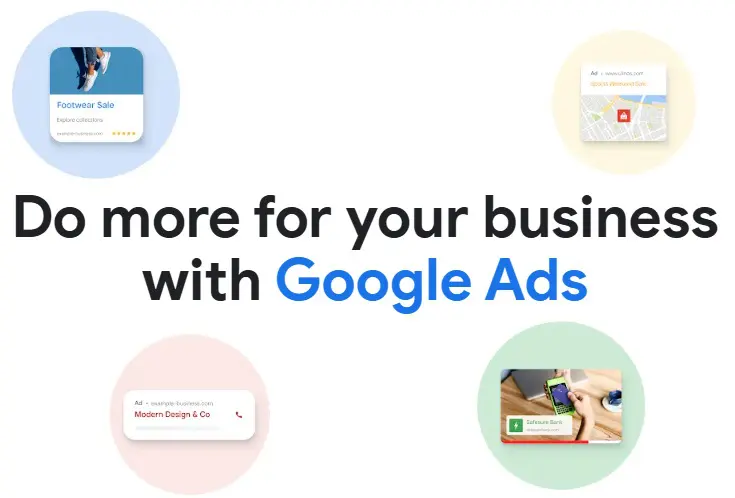
Source: Blog.Google
What is Google Ads
Since its launch in 2000 (as Google AdWords), Google Ads has grown into the internet’s biggest Search Engine Marketing (SEM) tool.
Ads operate on a Pay-Per-Click (PPC) model. That means you only pay when someone clicks on your ad. No clicks, no charge. So while it isn’t free, that can make it a very cost-effective way to put your business out there in front of potential customers.
The beauty is that it lets you reach people who are already searching for what it is you do or offer — be that a baker in Bristol, a hairdresser in Harrogate, a florist in… you get the picture.
And it’s not just search results. Google Ads can place your ads across YouTube, Google Maps, Gmail and partner websites too.
Today, Google Ads increasingly uses AI to help automate targeting and bidding, and to build and optimise campaigns, making it more hands-off than ever.
Why businesses use Google Ads
Unlike traditional advertising like billboards or magazines, you only pay when someone engages, and you can set your own budget while tracking performance in real time. Ads are both targeted and measurable. You also get clear insight into where your budget is going, so you can adjust based on what’s working, and what’s not.
Around 1.2 million businesses worldwide use it as of 2026, according to Strataigize, including 65% of small-to-medium-sized businesses (SMBs).
Google claims that for every $1 spent on Google Ads there’s a return of $8. While that’s based on an average across all industries, it can certainly do a lot for smaller businesses, too. The average conversion rate on the Google Ads network is about 4.6–7.5% as of 2026.
Mobile users are often more responsive to paid ads, especially for local searches, making fast and mobile-friendly websites even more important.
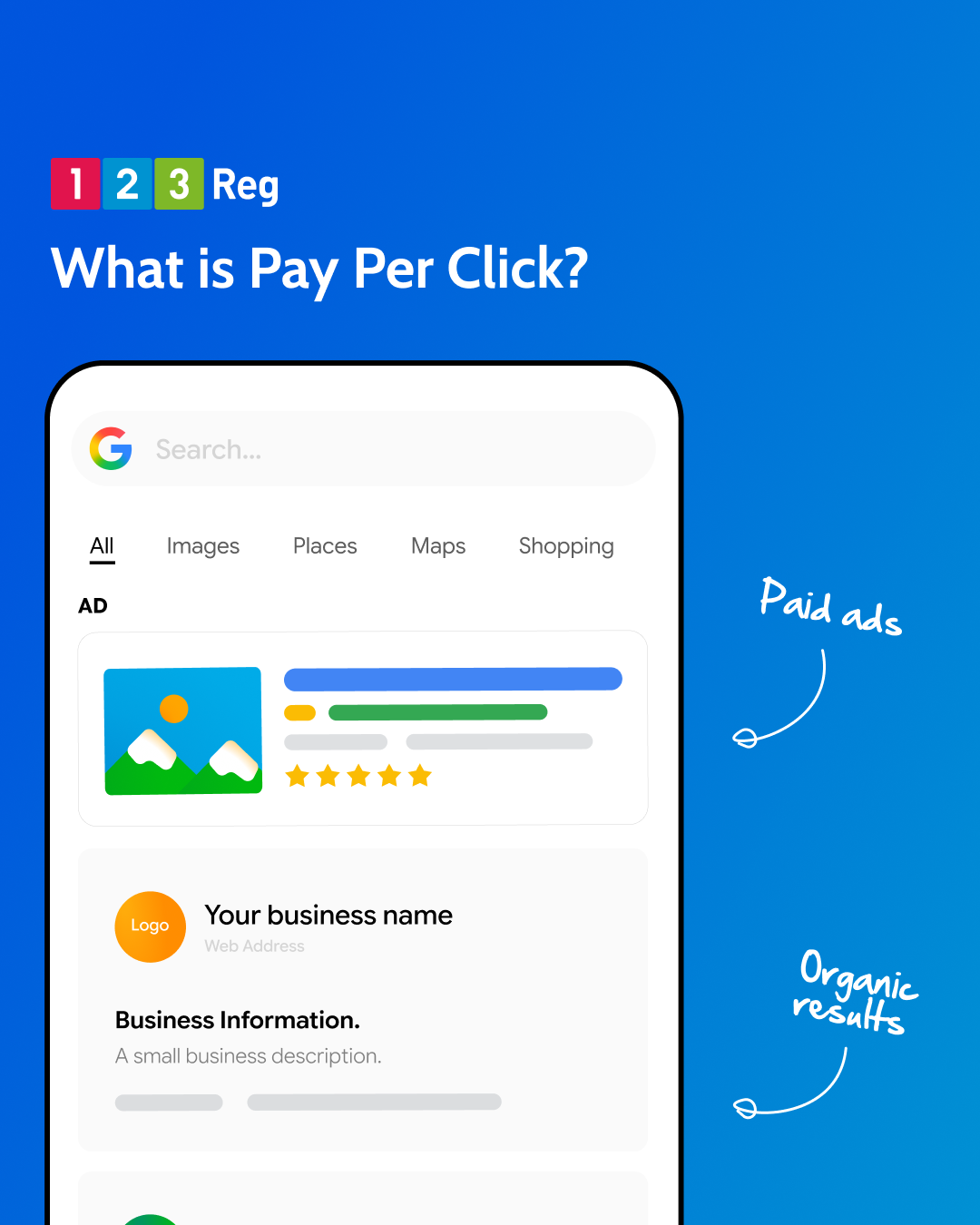
What’s the difference between SEO and SEM
Search Engine Optimisation (SEO) is about helping your website show up higher in search results without paying for ads. It uses the right keywords, good links, and useful content. Results take time, but they build over the long term.
Search Engine Marketing (SEM) uses paid ads to get you seen straight away. This includes search ads, display ads, and remarketing. Those sponsored results you see on Google are part of SEM.
In short:
☐ SEO = Improving your organic (unpaid) rankings. Slow, long-term results. Quality content (usually) king.
☐ SEM = Paying for ads to appear in search results and beyond. Faster results, but only while you’re paying.
For more: Local SEO in 10 – How Do I Get My Business Found Online?
How to get started with Google Ads
Let’s walk through the steps to set up your campaign and start getting your business noticed.
Before we get into it, we’ll assume you’ve already built a site using a great tool like Website Builder or Managed WordPress.
Be sure to create a Google Business Profile so you can get found on maps, too. Once you’ve added Google Ads into the mix, and you should have all the right tools to show up exactly where your potential customers are looking online.
1. Sign up and set up your Google Ads account
First, head to the Google Ads home and sign up.
You’ll need to enter your business name and website URL. If you already use other Google tools, like Google Analytics, linking them will make setup quicker.
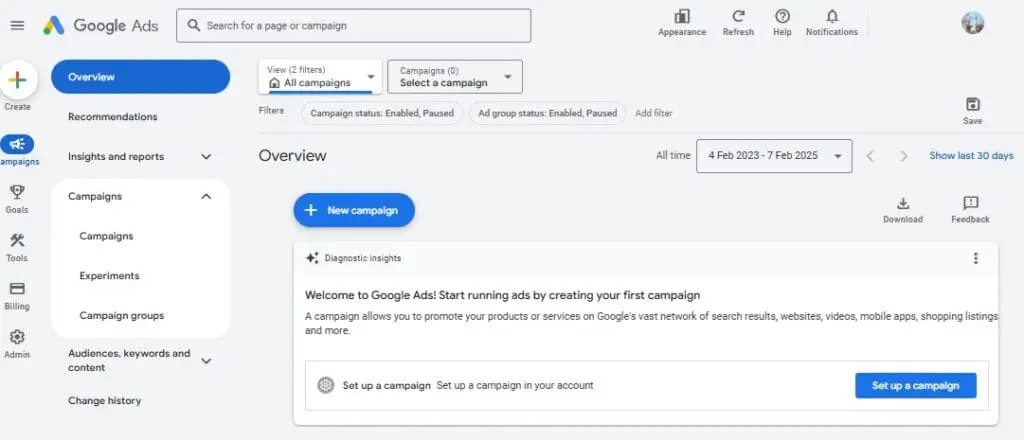
Once you’ve signed up, you’ll land on the main Google Ads dashboard. Don’t worry, it’s simple to navigate! This is where you’ll create your campaigns and keep an eye on how they’re doing.
If this is your first time, Google will set you up in Smart Mode by default. It’s a simpler setup that helps you get started quickly, but limits some of the advanced options.
You can switch to Expert Mode at any time for more control over your campaigns and targeting.
2. Choose your campaign goal
Next up: pick your campaign goal. This is the big picture. What do you want your Google Ads to achieve? Choosing the right goal helps Google show your ads to the people most likely to respond.
Google Ads offers several options depending on what you want to achieve. Here’s a look at your options:
☐ Drive website clicks – More clicks, more eyes on your business.
☐ Generate leads – If you’re after sign-ups, form submissions, or customer inquiries, this is the one.
☐ Boost sales – Set this goal to focus on increasing purchases or conversions on your site.
3. Set your budget and bidding
Before your ads start running, you’ll still set a budget, but how it’s spent is now much more automated.
Think of it like an auction for clicks: when someone clicks your ad, you pay a small amount. The difference in 2026 is that Google’s AI now handles most of the bidding decisions in real time.
You still choose a daily or monthly budget. If you’re new to this, it’s worth starting small and adjusting once you see what’s working.
When it comes to bidding, things are now much more automated than they used to be:
☐ Automated (AI) Bidding – Google’s Smart Bidding and AI systems adjust bids automatically based on the likelihood of a click or conversion. This is now the standard approach for most advertisers.
☐ Manual bidding (limited use) – You set your own maximum cost per click. This gives more control, but is now mainly used in specific cases or for more advanced testing.
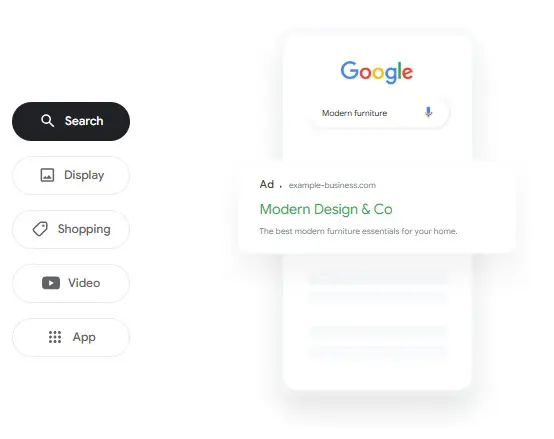
4. Start creating your ads
Now it’s time to create your ads.
Google Ads gives you several ways to get noticed, depending on how you want to reach potential customers.
Performance Max: Let AI do the work!
Performance Max (or PMax) is a newer core Google Ads campaign type, designed around AI-led automation.
Instead of setting up separate campaigns for Search, Display, YouTube, Gmail and Maps, Performance Max runs everything together in one place. You give Google your goal and some basic creative assets, and its AI builds and manages ads across all Google channels from there.
You’ll provide:
✓ your goal (like sales, leads, traffic)
✓ creative assets (like headlines, images and logos)
Google’s AI then:
✓ mixes and matches your content into different ad variations
✓ decides where your ads show across Google’s network
✓ adjusts delivery based on real-time performance
✓ learns over time to focus spend on what’s working best
One campaign can appear across YouTube, Display, Search, Discover, Gmail and Maps.
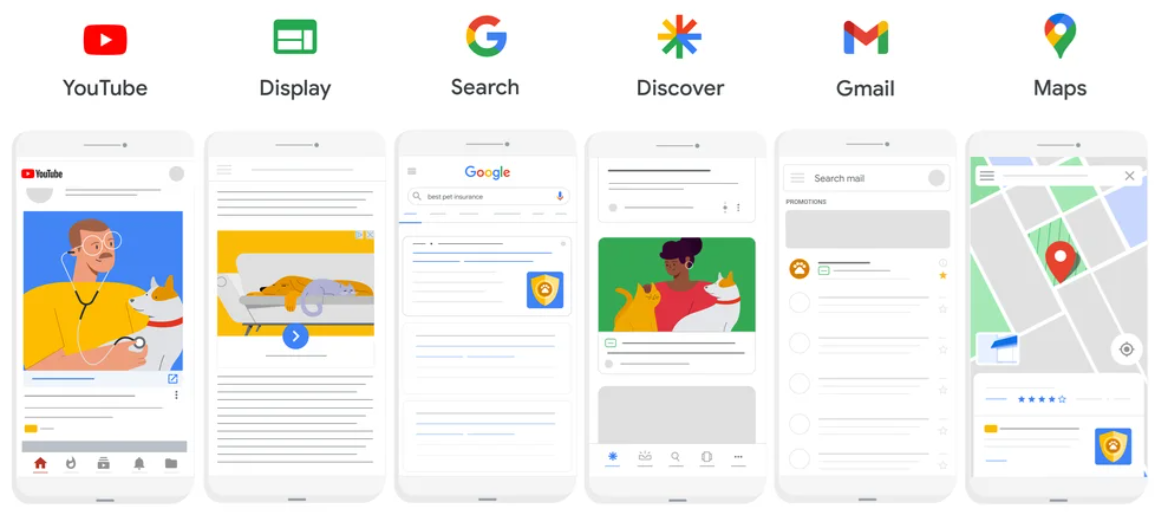
Source: Blog.Google
For example, if you’re a small business owner, you simply set your goal (like getting more enquiries or sales) and upload a few basic assets such as images, a logo, and short descriptions of what you offer.
Google’s AI then shows your ads across Search, Maps, YouTube and other Google channels to people who are likely to be interested, helping you reach customers without managing separate campaigns for each platform.
It takes out the manual work and constant tweaking, which can work really well for smaller businesses that don’t want to manage lots of separate campaigns.
Other ad formats
While Performance Max covers most bases, Google Ads also offers more traditional ad formats if you want greater control over specific channels. The main ones are:
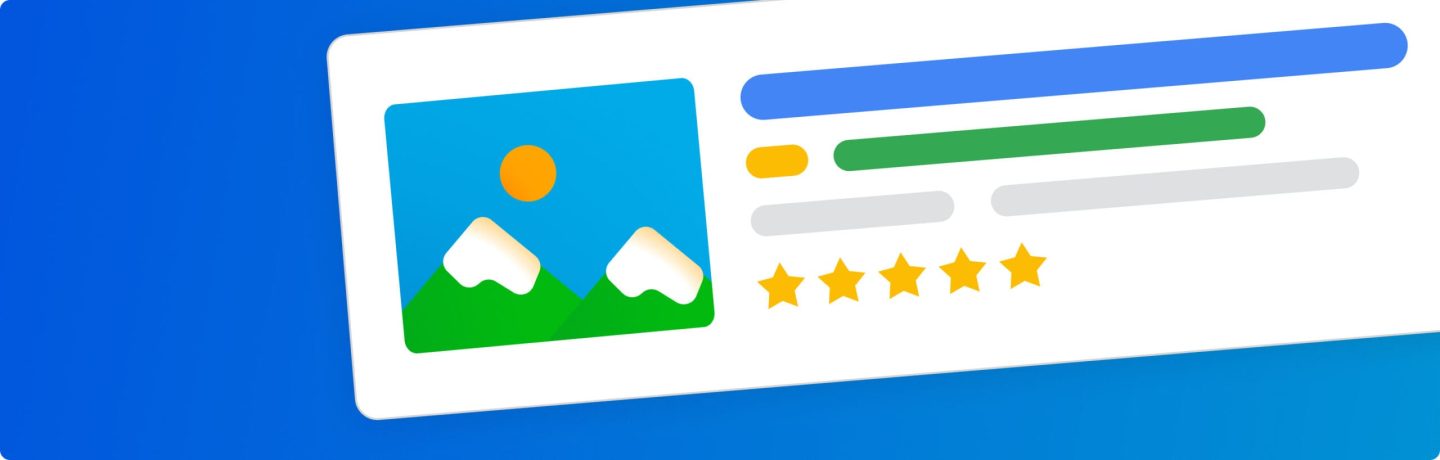
☐ Search Ads – Text ads shown on Google when people search for something related to your business
☐ Display Ads – Image-based ads that appear across websites, apps and YouTube
☐ Shopping Ads – Product-based ads showing images, prices and details in Google results
☐ Native Ads – Ads that blend into content on partner websites
See also: AI Search Audit – How to Track Your Business in AI Answers & Overviews
5. Create your assets (headlines, descriptions and more)
Now it’s time to create the content Google uses to build your ads.
In Performance Max, you don’t build individual ads in the traditional sense. Instead, you provide a set of assets (like headlines, descriptions, images and logos) and Google’s AI combines and tests them across different placements.
For example:
“Fast Plumbing Services in London”
“Free Delivery on All Orders”
Your descriptions can add more detail and include a clear call-to-action, like “Book Now” or “Find Out More.”
Google will mix and match these assets automatically, testing different combinations to see what performs best across Search, YouTube, Display and more.
Tip: You can still add extra elements like call buttons or location details (now called assets) to give people more ways to engage with your ad.
Optional: Choose the right keywords for your campaign
Keywords are the words or phrases people type into Google when they’re searching for something.
They’re still useful for Search campaigns, and tools like Google Keyword Planner can help you find ideas, search volume and competition levels. However, in Performance Max campaigns, keywords are not the main focus. Instead, Google uses a mix of your assets, website content and audience signals to decide when and where to show your ads.
Google Keyword Planner is a free tool that helps you discover keywords related to your business, which you can find in your Google Ads dashboard under Tools. If you do use keywords, it’s best to think of them as supporting ideas rather than strict rules.
6. Set your targeting signals
7. Choose your target
Targeting is about making sure your ads reach the right people, but in 2026 it works more as guidance than strict control.
If you are using Performance Max, your location and audience settings act as signals. For example, you might focus on a specific city, region or set of postcodes, and give Google an idea of the type of customers you want to reach. Google then expands beyond this to find similar audiences.
If you are running Search campaigns, you can still be more direct. This includes focusing on specific locations, refining by age or interests, and showing ads to people who have already visited your website but did not take action.
This approach helps you stay focused on the right audience, while still benefiting from automation where it is available.
8. Review, and launch!
Nearly there. Give everything a final check — budget, audience, headlines, descriptions. Once everything looks good, add your payment details and hit Launch.
Your ad is now out there, working its magic, and hopefully reaching the right people at the right time. Keep an eye on performance and wait for the results to roll in.
Tips to make Google Ads work for your business
✓ Start small with your budget: Test your campaigns with a small budget, and as you identify what’s working, gradually increase your spend. This helps minimise risk and allows for optimisation as you go.
✓ Use location-based targeting: If you run a local business, target customers within a specific region. For example, instead of just targeting “personal trainer,” try “HIIT personal trainer in Oxford”. This will help you attract the relevant audience.
✓ Make use of ad extensions: Add extra details directly in your ad, such as your address, phone number, or opening hours. This makes it easier for customers to contact you directly.
Also, don’t forget about Google Trends. It’s especially handy for spotting seasonal trends or finding new keyword ideas before your competitors do.
How to measure ad success
Once your ads are live, you’ll want to track their performance to understand what’s working and what needs tweaking. Focus on metrics like:
☐ Click-through rate (CTR) = How many people click your ad after seeing it. A high CTR should mean your ad is relevant and engaging.
☐ Conversions = How many clicks turn into actions, like purchases or sign-ups. The higher the conversion rate, the more effective your ad and landing page are.
☐ Return on ad spend (ROAS) = If your ads are making money. For example, if you spend £50 on ads and make 200 quid in sales… that’s a strong ROAS!
Small changes can make a big difference. Keep an eye on the numbers, test what works best, and fine-tune things over time.
More ads tips
Make sure your landing page works for your ads
A good landing page can turn clicks into customers. If your ad promises a specific product, offer, or discount, make sure the page delivers exactly that. A fast, easy-to-navigate page keeps visitors engaged and more likely to take action. Cluttered or slow pages will put people off, especially on mobile.
If you’re building pages for your campaigns, tools like Website Builder or Managed WordPress Hosting can make it easier to create fast, professional-looking sites that are ready to go with your ads.
Find that winning formula: PPC + Content Marketing + Email Marketing
More often than not, a mix works best. Run Google Ads to bring in immediate traffic while building your audience through content, email campaigns, and social media. It’s the smartest way to show up wherever your customers are looking.
See also: How to Show in AI Search Answers – 8 Top Tips for Business Owners
Wrap Up
Google Ads is a powerful way to get your business noticed. By showing your ads to people already searching for what you offer and using the right keywords and targeting, you can see results.
For more official resources, check out:
Google Ads Help Center – With step-by-step guides and answers.
Google Skillshop – For free courses to get Google Ads savvy.